
How to post your event on Eventbrite for Bristol sports fans
A practical guide for athletes and clubs: how to post your event on Eventbrite, with a Bristol focus and sports-specific tips.

Whether you’re running a local track meet, a youth clinic, or a community run in Bristol, posting your event on Eventbrite is a practical way to reach teammates and fans. This guide walks you through each step so you can get registrations moving without friction. You’ll learn how to craft a clear event page, choose the right category, and promote it with confidence.
Start by defining your event’s essentials: date, time, location, capacity, and a simple ticketing plan. Then open Eventbrite, create a new event, and fill in those basics with concise, action-driving language. Finally, review your page for accessibility and a sports-focused audience before hitting publish.
As you proceed, you’ll also see how to tailor your event to Bristol readers, whether you’re a club, coach, or independent organizer, so athletes and supporters feel invited and informed.
- Use Eventbrite to post sports events in Bristol by setting up a clear event page with essential details.
- Choose the event type that fits your plan, and set realistic capacity.
- Craft a precise title and description, then add practical details like check-in and equipment.
- Promote through sport-focused channels and consider a small early-bird incentive.
Basics and setup
Choose the right event type
Start by selecting the Eventbrite event type that fits your plan: single event, series, or recurring. For a game night or sprint meet, a single event works best; for weekly training sessions, use a series. This choice shapes your ticketing options and how attendees see the schedule. post your event in Bristol is a practical phrase for local athletes to follow.
In this sports context, clarity matters. List the event’s primary goal—who should attend and why—so participants know what they’re signing up for. Include critical details like start times and any required equipment or prerequisites.
- Choose single event for one-off meets
- Use series for weekly clinics
- Include start times and gear needs
Set practical capacity
Capacity controls ensure you don’t oversell or undersell. For a community track meet, set a realistic headcount based on space, safety, and staffing. If limits change, you’ll adjust tickets or add a waitlist to keep demand manageable.
Communicate limits clearly on the page to avoid last-minute friction at check-in. A well-structured capacity note helps volunteers prioritize tasks.
- Estimate attendees using past events
- Plan for check-in bottlenecks
- Consider safety and facilities constraints
How to craft the event page
Write a clear title and description
Your title should tell readers exactly what the event is and who it’s for. The description should outline the core activity, the level of competition or instruction, and what attendees gain. Use concrete verbs like compete, learn, or train. latest news Bristol keeps readers informed, but your event page should stand on its own.
Keep the language sport-focused: mention the type of event (race, clinic, scrimmage) and the level (recreational, competitive). Add a quick call to action, such as reserve a spot or join the team.
- State the event type explicitly
- Mention the target audience
- Include a simple call to action
Add practical details
List the when, where, and how of registration and entry. Include parking, arrival times, and check-in procedure so athletes waste no time getting onto the field or track. If you’ll provide gear or instruction, note it here.
Add accessibility notes and any age or skill requirements. A straightforward FAQ section on the page can answer common questions before they’re asked.
- Include parking and check-in details
- State equipment needs
- Add a brief FAQ
Options for promotion
Leverage sport-specific channels
Beyond listing, promote through club newsletters, local leagues, and gym partners. A quick email with a link to the Eventbrite page can boost signups. If you run a youth program, share in parent groups with a clear call to action. promote your business in Bristol integrates your event with local networks and sponsors.
Consider collaborating with a local sports venue or coach network to widen reach. A joint post increases credibility and visibility among serious athletes.
- Use club email blasts
- Partner with local venues
- Share in youth groups
| Method | Pros | Cons |
|---|---|---|
| Single event page | Straightforward | Less flexibility for recurring events |
| Event series | Built-in schedule | Requires ongoing management |
| Custom landing page | Tailored experience | More setup work |
Use early-bird pricing judiciously
A small early-bird window can accelerate signups without eroding value. For Bristol events, test a modest discount for the first 24 hours to kick-start momentum. If spots fill quickly, turn on a standard rate to maintain demand.
Monitor signups daily and adjust messaging if the page stalls. A recent surge after a clear incentive confirms the tactic’s usefulness in sports communities.
- Offer a brief early-bird window
- Watch daily signups
- Adjust messaging if needed
Overly clever descriptions can mislead readers about the activity level or requirements.
Pitfalls to avoid
Overcomplicating the page
Simplicity wins. A cluttered event page with long paragraphs or unclear ticket options creates friction at checkout. Use short, direct sentences and clean sections to guide readers. Keep the most important details above the fold. Bristol classified ads can complement Eventbrite listings by reaching a broader audience.
- Overloading with options can deter signups
- Misleading level descriptions breed refunds
Overly clever descriptions can mislead readers about the activity level or requirements. If a beginner clinic is listed as advanced, you’ll disappoint attendees and increase refunds or questions.
- Use concise language
- Put critical details first
- Test readability with a fresh eye
Ignoring accessibility
Ensure the page is easy to read on mobile and desktop. Use large, readable fonts and high-contrast text. Provide alt text for images and avoid dense blocks of copy that slow readers down.
Sports pages often attract diverse audiences, so consider language that’s welcoming to beginners and seasoned athletes alike. Clear instructions reduce confusion at registration.
- Optimize for mobile
- Use readable fonts
- Provide alt text
Tools and options
Choosing the right listing tools
Start with the basics: choose a reliable event listing tool that fits your sport purpose, like a simple calendar embed or a dedicated ticketing page. You want a clean signup flow and accessible pricing. Test the user path on mobile, since most fans check events on the go. online obituaries in Bristol
Compare features that matter on game nights: price tiers, QR tickets, attendee caps, and waitlists. Look for integrations with payment processors and calendar exports. A smooth checkout reduces drop-offs and keeps you in the team’s rhythm.
Ensure your page loads fast and presents essential details clearly: date, time, location, and a concise purpose. Use a prominent call-to-action for tickets or RSVP. After publishing, monitor the page for unusual spikes or questions from fans.
- Mobile-friendly checkout
- Clear ticket types
- Calendar export
- RSVP option
- Integrations with payment gateways
Safety and accessibility
Make the page accessible and safe
Accessibility comes first: use descriptive alt text for images, logical tab order, and high-contrast colors. This helps fans with visual impairments and those using assistive tech. Keep the event title short and informative.
- Describe accessibility features.
- Explain entry and emergency info clearly.
- Provide venue map and contact details.
- Test with a reader for clarity.
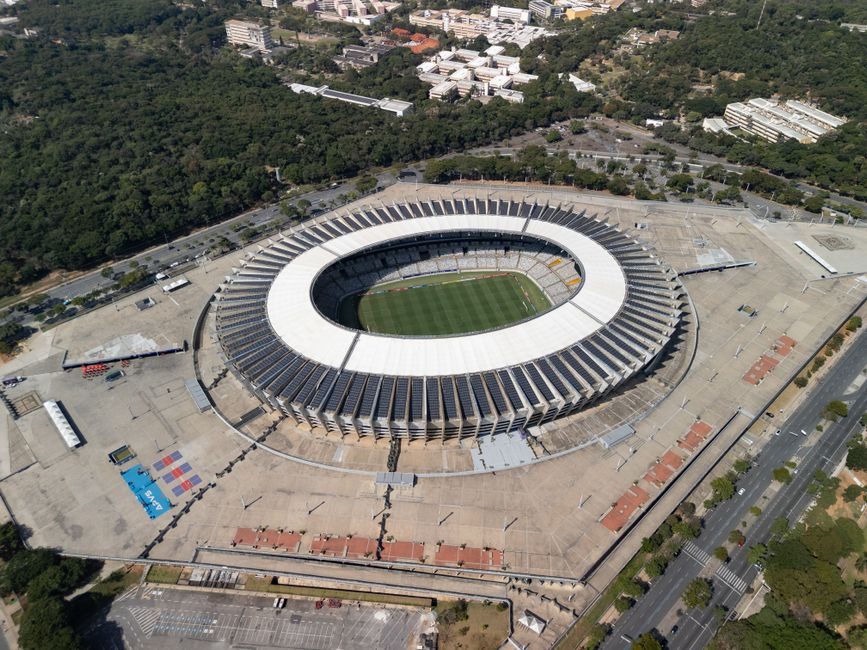
Provide clear safety notes if the event involves crowds or restricted areas, such as entry requirements or badges. Include a simple map link and on-site help desks. A well-marked venue reduces delays and confusion on game day.
Preview the page with a screen reader and a friend who can spot unclear language. Avoid jargon that fans outside your circle won’t understand. After posting, check that contact methods work and responses are timely.
- Alt text for images
- Clear safety notes
- Accessible color contrast
- Check with screen reader
- Map and directions
Metrics and iteration
Track results and refine your page
Start with a simple metric set: views, clicks to tickets, and total signups. Focus on where fans come from and which ticket types they choose. This shows what kind of messaging works best.
- ☐ Record initial benchmarks.
- ☐ Note what changes boost engagement.
- ☐ Keep a log of experiments.
- ☐ Apply lessons to next events.
Use A/B ideas for title and image changes, then compare performance over a short period. Small tweaks can lift engagement without overhauling your page. Review ticket type breakdown to spot price sensitivity or timing effects.
Plan a quick mid-campaign check to adjust copy, images, or posting times. Document what changed and why so you can repeat successful moves for future events.
- Views and clicks
- Source of traffic
- Ticket type mix
- A/B testing
- Mid-campaign review
Community and Bristol focus

Engage the Bristol sports audience
Root the event in local sport culture: mention nearby venues, clubs, or rivalries to give fans a familiar frame. Use language that resonates with local supporters and players. A Bristol-centric touch makes events feel relevant and timely.
Offer community benefits like post-event chats, autograph hours, or youth clinics tied to the main event. These extras boost attendence and create shareable moments on social feeds. Plan them with a clear schedule and capacity limits.
Encourage organization-wide sharing through club channels, local forums, and fan groups. A coordinated push can convert casual followers into attendees. Track responses across channels to see which communities are most engaged.
- Local relevance
- Community extras
- Cross-channel sharing
- Local partnerships
- Commitment to fans
Frequently asked questions
How do I choose the right Eventbrite setup for a Bristol sports event?Start with the basics: a simple event page, a clear ticket type structure, and a fast checkout. If you expect larger crowds, enable capacity controls and waitlists. Test the flow on mobile and share a direct link through team channels for quick reach.
What details should I include to engage Bristol fans?Lead with the who, what, where, and when in the first lines. Mention any local clubs, nearby venues, or rivalries to give context. Include practical details like parking, entry times, and a contact path for last‑minute questions.
How can I improve attendance after posting?Use concise updates with a single change at a time—like a new image or a revised headline—and monitor results over 24–48 hours. Promote through multiple channels such as club newsletters, social groups, and venue pages to extend reach.
What safety steps matter most for sports events?Provide accessible venue information, clear seating or standing areas, and a straightforward entry plan. Share contact options for on-site questions and ensure maps work offline if possible.
Next steps for organizers
Publish your Bristol-focused event with clear, fast access to tickets and essential details. Then watch early engagement and prepare a quick tweak if needed, using the metrics you track.
Schedule a brief post-event follow-up that thanks attendees, shares a recap, and invites them to future games or clinics. Build a simple ongoing calendar of events to maintain momentum.
Add Emma Stone Fan Page as a preferred source on Google


